How Freshers Can Build a LinkedIn Profile That Gets Noticed by Recruiters in 2026

Creating a LinkedIn profile is easy. Creating a LinkedIn profile for freshers that clearly communicates your skills, projects and career direction requires more thought.
Many graduates create a profile, add their college name, upload a photograph and stop there. The profile exists, but it may not clearly tell a recruiter what the candidate can do or which role they are targeting.
For freshers entering the job market in 2026, LinkedIn can be useful for building a professional presence, discovering opportunities, learning about roles and connecting with people in their target industry. LinkedIn provides career resources specifically for students and future graduates, while current hiring trends are increasingly emphasizing practical skills and demonstrable ability.
Why LinkedIn Matters for Freshers
Your LinkedIn profile is more than an online copy of your resume.
It can become a professional introduction that helps people understand:
What you studied
What skills you have
What you are learning
What projects you have completed
Which career direction interests you
What type of opportunity you are seeking
For a fresher without extensive work experience, this is particularly useful because you can showcase education, projects, skills, certifications, internships and practical work.
Important takeaway: Your LinkedIn profile should answer one simple question quickly:
"What kind of professional is this person becoming?"
Start With a Professional Profile Photo
Your photograph is one of the first visual elements people notice when they visit your profile.
You do not need an expensive professional photoshoot.
Aim for a photo that is:
Recent
Clear
Well lit
Professional
Focused on you
Free from distracting backgrounds
Appropriate for a professional setting
Avoid using:
Group photographs
Heavily edited selfies
Party photographs
Blurry images
Photos with distracting backgrounds
Your profile photo does not need to look extremely formal.
It simply needs to look clear, professional and authentic.
Write a Strong LinkedIn Headline
Many freshers use headlines such as:
"Student at XYZ College"
or:
"Fresher | Looking for Job"
These descriptions do not tell a recruiter much about the candidate's skills or direction.
Your headline has limited space, so use it strategically.
A simple structure is:
Education or background + key skills + target role
For example:
B.Tech CSE Graduate | Java | SQL | Spring Boot | Aspiring Java Developer
Another example:
Computer Science Graduate | Python | SQL | Data Analytics | Aspiring Data Analyst
The important point is to use accurate and relevant terms.
Do not add ten technologies simply because they are popular.
Choose Skills You Can Actually Explain
Your LinkedIn profile should represent your real abilities.
If you list:
Java
Python
React
AWS
Docker
Kubernetes
AI
Machine Learning
you may create the impression that you have broad expertise.
But if you are only comfortable with Java and SQL, a smaller and more honest skills section is better.
For example:
Java
SQL
Object-Oriented Programming
HTML
CSS
Git
Spring Boot Basics
Never optimize your profile by exaggerating your skills.
A recruiter finding your profile is only the first step.
You also need to be able to discuss what you have listed.
Make Your About Section Useful
The About section gives you an opportunity to explain your professional direction in your own words.
Do not write a generic paragraph such as:
"I am a hardworking and passionate individual looking for opportunities to grow."
Almost any candidate can write that.
Instead, explain:
Who you are
What you are learning
What skills you have
What you have built
What role you are targeting
For example, a Java-focused fresher could structure the section around:
Education: Computer Science graduate
Skills: Java, SQL, Spring Boot and REST APIs
Projects: Practical applications developed during learning
Career direction: Entry-level Java or Full Stack development
Keep the language natural.
Your About section should sound like you, not like a collection of corporate buzzwords.
Add Your Education Properly
Freshers often have limited professional experience, so education can be an important part of the profile.
Include relevant information such as:
Degree
College or university
Graduation year
Relevant coursework when useful
Academic projects
Achievements where relevant
You do not need to turn the education section into a full academic biography.
Keep it focused on information that supports your career direction.
Turn Projects Into Evidence
Projects can be one of the most valuable sections for a fresher.
Instead of simply writing:
Project: Job Portal
explain what you actually did.
For example:
Developed a web-based job portal for connecting candidates and employers.
Implemented user registration and authentication functionality.
Used SQL for storing and managing application data.
Developed backend functionality using Java and relevant frameworks.
Worked on search and job-management features.
The exact details should reflect your real project.
This gives someone reading your profile a better understanding of your practical exposure.
Add Your Internship or Training Experience
If you have completed an internship, add it to the relevant section.
Include:
Organization
Role
Duration
Responsibilities
Technologies used
Work completed
If you have completed structured technical training, describe it accurately without presenting training as professional employment.
For example:
Java Full Stack Training
can mention the technologies studied and practical projects completed.
Honest positioning is important.
Add Relevant Certifications
Certifications can support your profile when they are relevant to the role you are targeting.
For example, if you are pursuing a technical career, relevant certifications or learning achievements can demonstrate continued learning.
However, avoid turning your profile into a certificate collection.
Ten unrelated certificates do not automatically create a stronger professional profile.
Ask:
"Does this certification support the career direction shown on my profile?"
If the answer is no, it may not need prominent placement.
Use the Skills Section Strategically
Your Skills section should support the role you want.
Suppose your target is:
Java Developer
Your relevant skills might include:
Java
Object-Oriented Programming
SQL
Spring Boot
REST APIs
Git
Hibernate
If your target is:
Data Analyst
the relevant skills could be different.
The principle is simple:
Target role → Relevant skills → Relevant projects → Consistent profile
Your profile should tell one clear professional story.
Add Projects, Courses and Achievements
Freshers sometimes believe they have nothing to add because they have never worked full-time.
That is not necessarily true.
You may have:
Academic projects
Personal projects
Hackathons
Technical coursework
Certifications
Internships
Volunteer experience
Competitions
Relevant achievements
Add the experiences that genuinely demonstrate your abilities or interests.
Create a Custom LinkedIn URL
A clean profile URL looks more professional when you share it on a resume, portfolio or application.
If LinkedIn provides the option, customize your public profile URL to make it simple and professional.
For example, a URL based on your name is easier to share than a long string of random characters.
Connect With People Strategically
LinkedIn is a professional networking platform, so connections matter.
But networking does not mean sending hundreds of random requests every day.
Start with:
College alumni
Classmates
Trainers
Professionals in your target role
Developers
Recruiters
Industry professionals
People whose work you genuinely want to learn from
When appropriate, personalize your connection request.
For example:
"Hi, I’m a Computer Science graduate interested in Java development. I came across your profile while learning about the field and would be glad to connect."
Simple and respectful is enough.
Don't Send "Please Give Me a Job"
One of the most common networking mistakes is immediately asking strangers for employment.
A better approach is to build a professional relationship first.
You can:
Follow relevant professionals
Engage thoughtfully with useful posts
Ask specific career questions
Learn from industry discussions
Share your own learning
Build genuine connections
Networking works better when it is treated as relationship building rather than job begging.
Start Sharing Your Learning
You do not need to become a professional content creator.
You can occasionally share something useful you learned.
For example:
"Today I learned how REST APIs use HTTP methods such as GET, POST, PUT and DELETE. I also implemented a simple API in my project and learned how requests move between the client and server."
This type of post demonstrates learning.
You can also share:
Project progress
Technical lessons
Certification completion
Hackathon participation
Practical problems you solved
Career milestones
Do not post just for the sake of posting.
Useful content is better than constant content.
Use Keywords Naturally
Recruiters and professionals may search for specific skills and roles.
That means your profile should naturally contain the terminology that genuinely describes your abilities.
For example, if you are targeting Java development, relevant terms might include:
Java, SQL, Spring Boot, REST API, Git, Object-Oriented Programming
These can appear naturally in your:
Headline
About section
Skills
Projects
Experience
Education or coursework
Do not repeat the same keyword unnaturally.
The purpose is to make your profile clear and relevant, not to stuff it with search terms.
Keep Your Resume and LinkedIn Consistent
One problem recruiters can notice is inconsistency.
Imagine your resume says:
Java Developer
but your LinkedIn profile says:
Data Analyst
and your project section focuses entirely on Python.
This creates confusion.
Your resume and LinkedIn do not need to be identical.
But the basic professional story should make sense.
For example:
Target: Java Full Stack
Resume: Java, SQL, Spring Boot, projects
LinkedIn: Java, SQL, Spring Boot, projects
Portfolio: Java-based projects
This creates a consistent profile.
Don't Copy Someone Else's Profile
It is fine to study strong profiles for inspiration.
But do not copy someone's:
About section
Headline
Project descriptions
Achievements
Skills
Career claims
Your profile should represent your actual experience.
A copied profile may look impressive until someone asks you about the information.
Keep Your Profile Updated
Your LinkedIn profile should change as your skills develop.
After completing a project, update it.
After completing an internship, add it.
After learning an important technology, consider adding it if it is genuinely relevant.
After changing your career direction, review your headline and About section.
Think of LinkedIn as a professional profile that evolves with your career rather than something you create once and forget.
A Practical LinkedIn Profile Structure for Freshers
You can use this simple structure:
Profile Photo
Clear and professional.
Headline
Education/background + skills + target role.
About
Short introduction + skills + projects + career direction.
Education
Degree + institution + relevant information.
Projects
Project name + technologies + what you built.
Experience
Internship or relevant experience.
Skills
Relevant technical and professional skills.
Certifications
Only relevant certifications.
Achievements
Meaningful accomplishments.
Activity
Useful learning, project and professional posts.
This structure gives recruiters and professionals a quick understanding of your profile.
A 30-Day LinkedIn Improvement Plan
You don't need to rebuild everything in one evening.
Use a simple four-week approach.
Week 1: Fix the basics
Add a professional photo
Rewrite your headline
Complete education
Add relevant skills
Week 2: Add proof
Improve your About section
Add projects
Add internship or training experience
Add relevant certifications
Week 3: Start networking
Connect with alumni
Follow professionals in your field
Engage with useful industry content
Join relevant professional conversations
Week 4: Build visibility
Share something you learned
Share a project milestone
Update your profile
Review whether your profile matches your target role
After that, continue improving gradually.
Common LinkedIn Mistakes Freshers Should Avoid
Writing "Fresher" as the entire headline
Leaving the About section empty
Adding every technology imaginable
Listing skills you don't understand
Using an unprofessional photograph
Copying someone else's profile
Sending generic connection requests to everyone
Asking strangers for jobs immediately
Posting meaningless content every day
Ignoring projects
Keeping outdated information
Making false claims about experience
The biggest mistake is creating a profile that looks complete but says very little.
What Makes a Strong Fresher Profile?
A strong profile does not need to look impressive through exaggerated claims.
It needs to be:
Clear
Relevant
Honest
Specific
Updated
Professional
Supported by evidence
For example:
Weak:
"Passionate fresher looking for opportunities."
Stronger:
"Computer Science graduate with hands-on experience in Java, SQL and Spring Boot through academic and personal projects, seeking an entry-level software development opportunity."
The second version gives the reader much more information.
Quick LinkedIn Checklist
Before considering your profile complete, check:
✓ Professional profile photo
✓ Clear headline
✓ Useful About section
✓ Complete education
✓ Relevant skills
✓ Practical projects
✓ Internship or training details where applicable
✓ Relevant certifications
✓ Consistent resume and LinkedIn information
✓ Professional profile URL
✓ Genuine professional connections
✓ Evidence of learning or practical work
✓ No exaggerated or false claims
How VibrantMinds Can Help Freshers Build a Stronger Profile
A strong LinkedIn profile works best when it reflects genuine skills and practical learning.
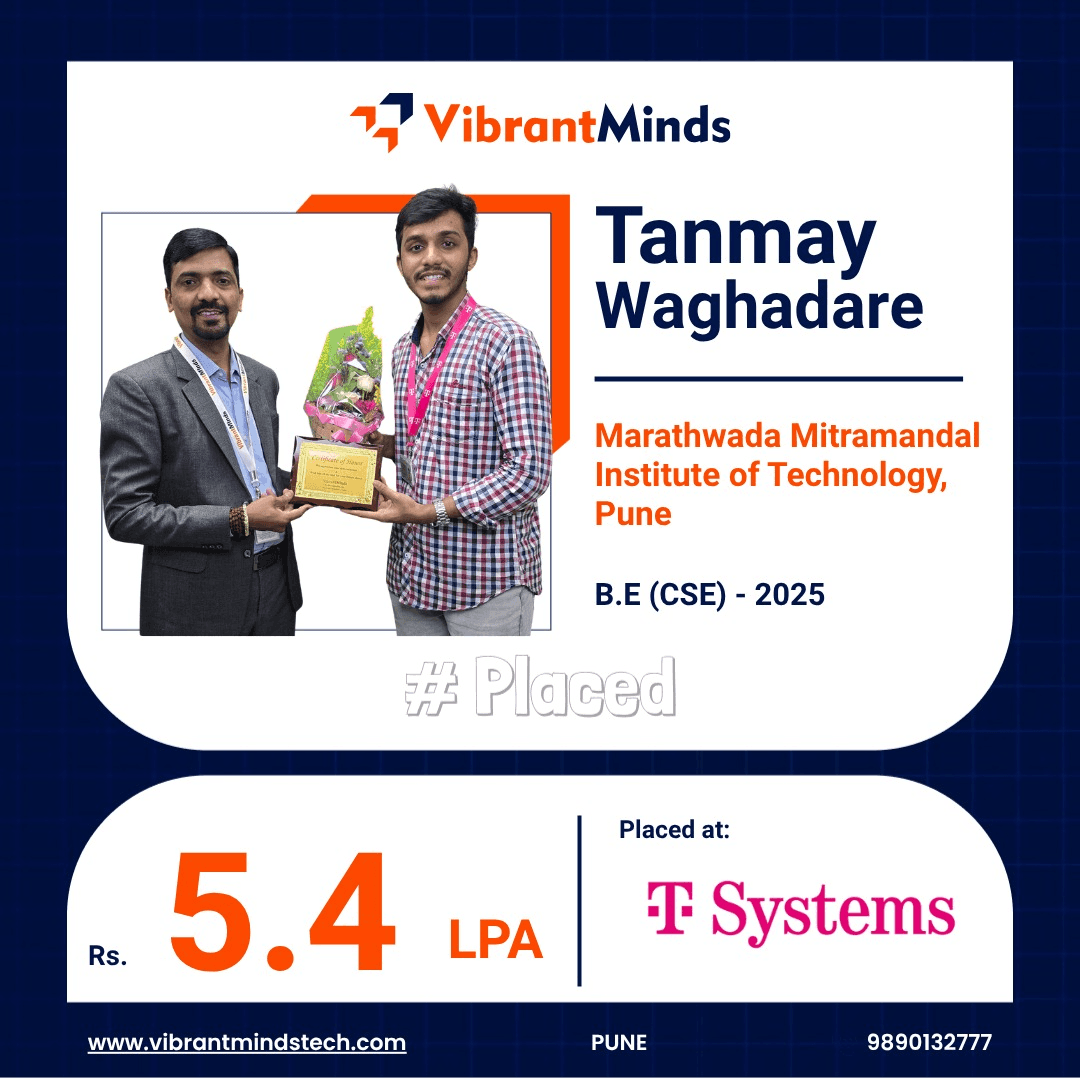
VibrantMinds Technologies focuses on helping learners build technical and professional foundations for IT careers through structured training and practical preparation.
For learners following a Java Full Stack path, areas of learning can include:
Core Java
Advanced Java
Java 8
SQL
Hibernate
Spring
Spring Boot
REST APIs
HTML
CSS
JavaScript
Alongside technical learning, preparation can include aptitude, communication, group discussions, soft skills, interview preparation and practical projects.
The important part is what the learner can actually demonstrate.
A LinkedIn profile becomes stronger when it is supported by genuine projects, relevant skills and practical experience rather than simply a long list of certificates.
Frequently Asked Questions
Is LinkedIn useful for freshers?
Yes. LinkedIn can help freshers build a professional presence, discover opportunities, learn about careers and connect with professionals. LinkedIn also provides dedicated career resources for students and future graduates.
What should a fresher write in a LinkedIn headline?
Include your educational background or professional identity, two or three genuine skills and the type of role you are targeting.
What should I write in the About section if I have no experience?
Focus on your education, technical skills, projects, learning experience and the career direction you want to pursue. You do not need professional experience to write a useful About section.
Can freshers get recruiter attention through LinkedIn?
A strong profile can improve your professional visibility, but there is no guarantee that recruiters will contact you. Your profile should clearly communicate relevant skills and practical evidence while you continue networking and applying for suitable opportunities.
How many connections should a fresher have on LinkedIn?
There is no ideal number. Focus on building relevant and genuine professional connections rather than trying to reach a specific connection count.
Should I add all my skills to LinkedIn?
No. Add skills that are relevant to your target career and that you genuinely understand.
Should freshers post on LinkedIn every day?
Daily posting is not necessary. Focus on sharing useful learning, projects and professional experiences when you have something meaningful to contribute.
Should my LinkedIn profile match my resume?
The information should be consistent, especially regarding education, experience, projects and skills. LinkedIn can contain additional details, but there should not be major contradictions.
Can I create a good LinkedIn profile without an internship?
Yes. You can highlight education, projects, technical skills, certifications, coursework, hackathons and other relevant experiences. An internship is useful but is not the only form of evidence you can provide.
Final Thoughts
For a fresher, LinkedIn should not be treated as another website where you upload your resume and wait.
Think of it as your professional identity online.
Make it clear who you are, what you know, what you have built and where you want to go.
Use your headline carefully. Write a useful About section. Showcase genuine projects. Add relevant skills. Build professional connections. Share useful learning occasionally and keep your profile updated.
Most importantly, don't try to look experienced when you are not.
Instead, show that you are learning, building and preparing seriously for your chosen career.
The hiring environment is becoming increasingly skills-focused, making practical evidence and digital readiness more important for early-career candidates.
Your LinkedIn profile cannot replace technical skills, projects or interview preparation.
But when your profile accurately reflects those things, it can become a valuable part of your career toolkit.
Don't create a LinkedIn profile just to say you have one. Build a profile that tells your professional story.


